



Converting feature classes to TAB files
The Feature Classes to TABs tool is provided for exporting feature classes from ArcGIS to TAB files. The functionality is available from both the toolbar and toolbox and can be used either in ArcMap or in ArcCatalog.
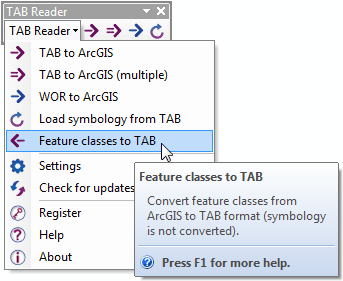
The tool dialog can be opened from the TAB Reader toolbar:
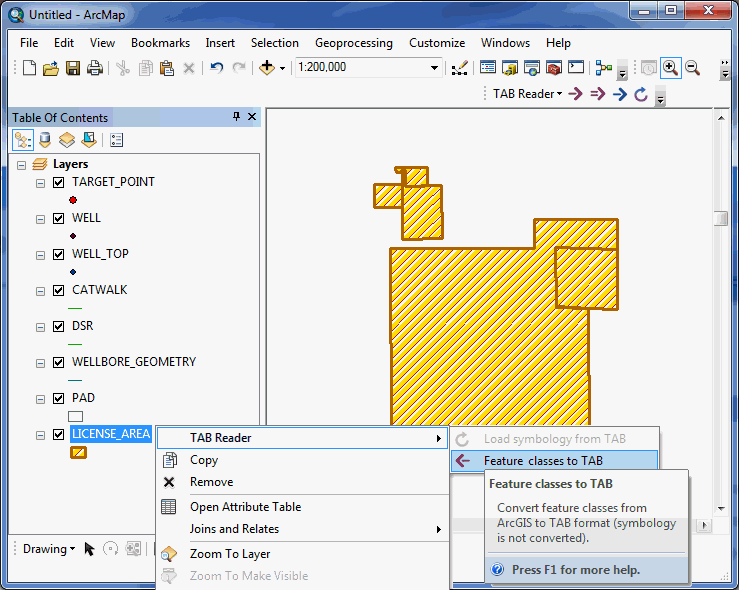
It's also available from the layer's context menu in ArcMap:
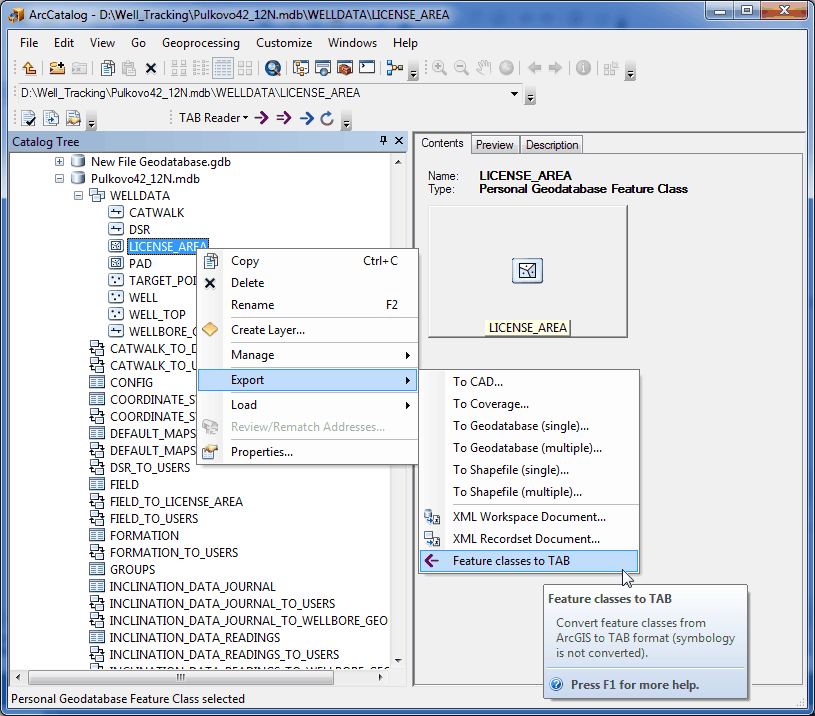
And from the feature class context menu in ArcCatalog (Catalog):
In the tool dialog you can select input feature classes and specify output folder for the exported TAB files:
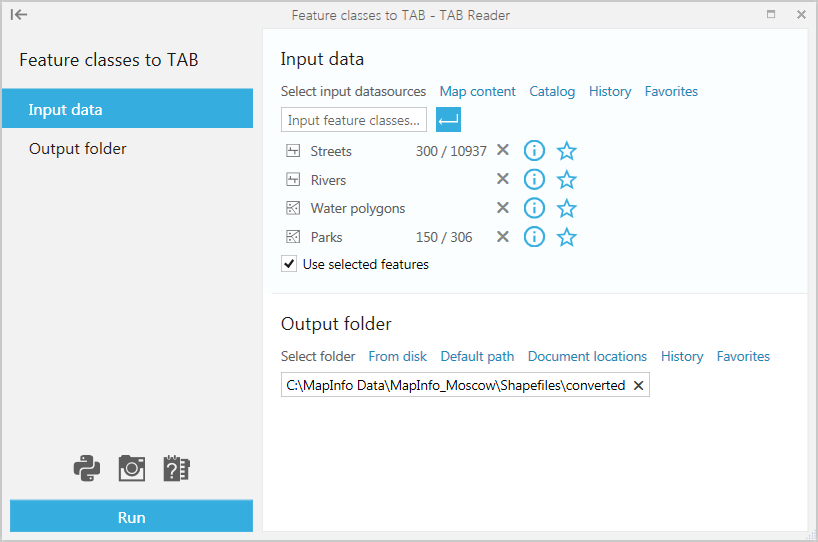
Selecting input data.
Input datasets can be specified using the following options.
-
From Map content
- This option is available and can be used if you have the required datasets added in ArcMap. The option is not available for the empty map or if you use the tool from ArcCatalog.
Converting feature classes added from the map content you can select to convert only selected features, if there are any selected features in the selected layers.
-
From Catalog
- This option allows adding feature classes from disk using Catalog like any other ArcGIS datsets.
-
From History
- This option can be used if you have recently worked with the required feature classes and have them saved in History.
-
From Favorites
- This option can be used if you have the required feature classes saved as Favorite.
Specifying output data.
Output data can be specified the following ways.
-
From disk
- This option allows selecting output TAB files folder on a local disk or connected network drives.
-
Using Default path
- This option allows to restore the default path where the output folder will be created in the same folder with the input feature classes.
-
Document locations
- With this option you can select between the current map document location or map datasets locations.
-
From History
- This option can be used if you have recently worked with the required datasets and have them saved in History.
-
From Favorites
- This option can be used if you have the required folder saved as Favorite.
Having set all parameters press the Run button to convert selected feature classes to TAB files.